
Tool Introduction
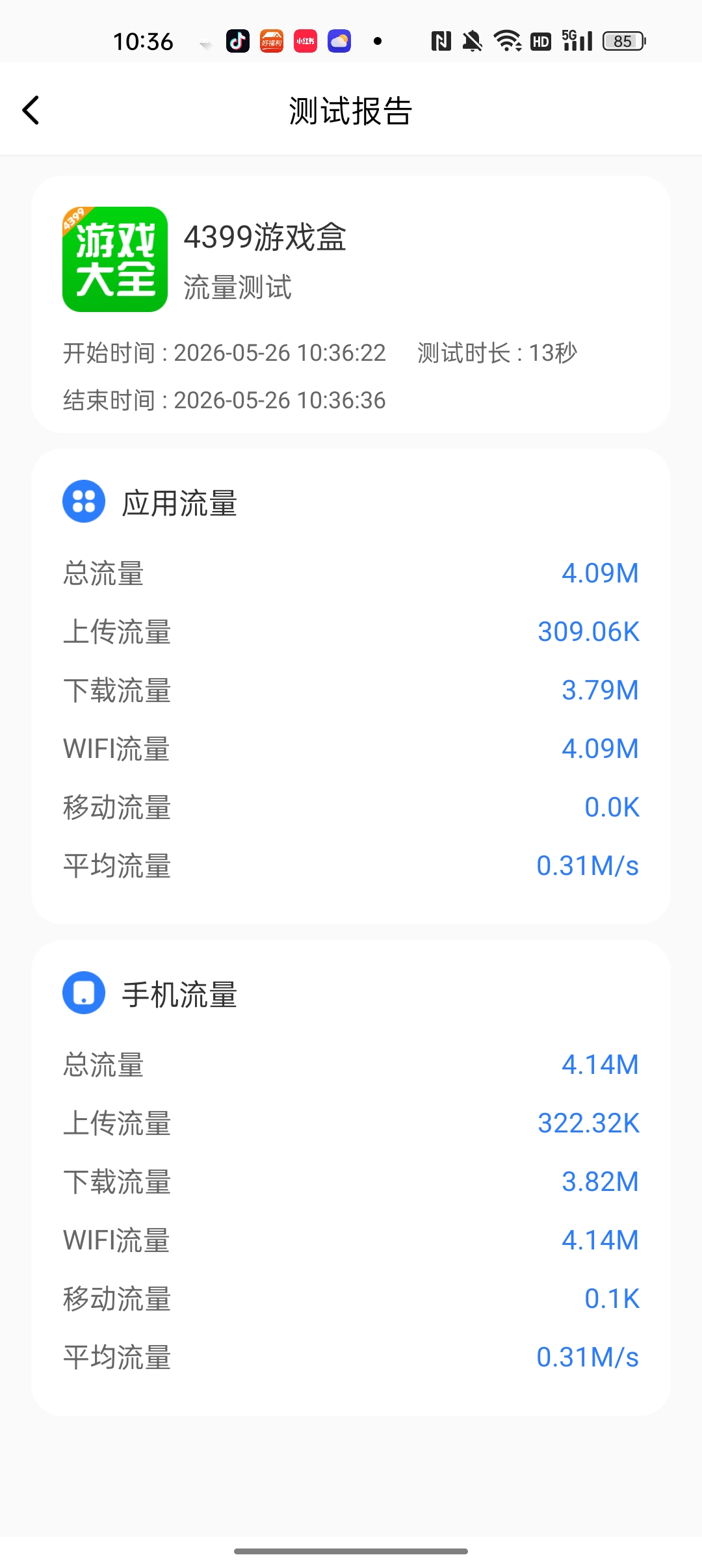
This tool uses Android's NetworkStatsManager to measure both target-app and device-wide traffic within a test session, with a floating overlay used to start and stop collection. After the session ends, it creates a local report containing timestamps, app information, selected metrics, and measured values. It fits real-device functional checks, regression passes, and abnormal-traffic reproduction scenarios. The current implementation is centered on manual measurement and local review rather than automated platform-style management.
Key Features
The same session can calculate target-app traffic as well as device-wide upload, download, Wi-Fi, and mobile usage.
Once the test starts, the app moves to the background and the user controls start/stop from an overlay while viewing a live speed text indicator.
Each test generates a local report stored in SQLite, and the report list keeps the latest 20 records for on-device review.
Testing Scenes
- Manually validate total, upload, download, Wi-Fi, and mobile-data usage for an installed app during a specific user flow on a real device.
- Compare target-app traffic with device-wide traffic to see whether the tested flow is primarily driven by the selected app.
- Record average throughput and total consumption for a single test run during functional or regression testing to help spot abnormal spikes.
- Keep recent test reports on the device for quick review of manual traffic-test results from different sessions.
Environment & Requirements
- Platform
- A native Android application operated through an in-app UI and a floating overlay window.
- System Range
- The project is configured with Android 5.0+ as the minimum version (minSdkVersion 21), but actual traffic collection depends on NetworkStatsManager and the measurement logic only runs on Android 6.0+ (API 23).
- Access Path
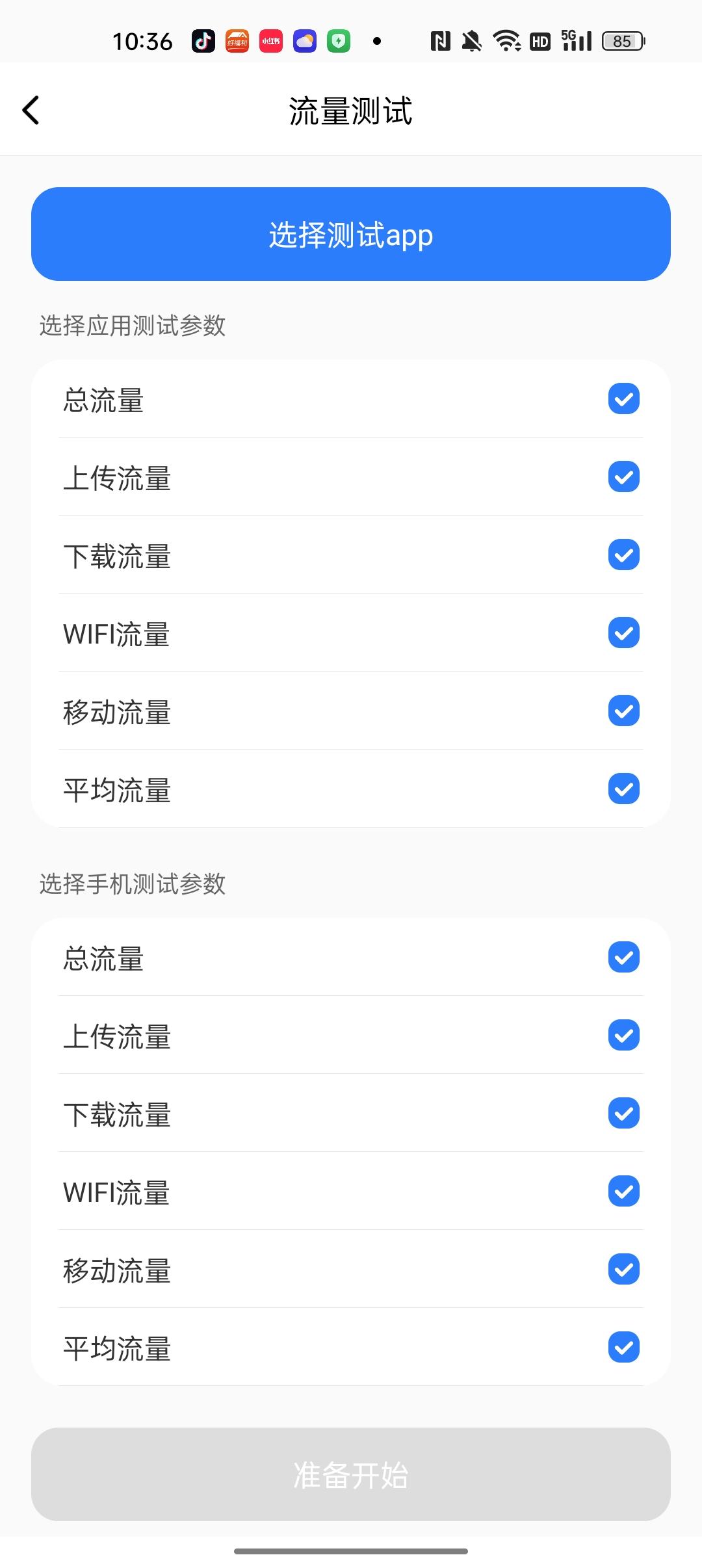
- After installation, the user selects a target app, chooses metrics, and manually starts and stops a traffic test from a floating overlay.
- Package
- nettest_v1.1.0.apk
Permissions & Dependencies
- Requires Android Usage Access permission (PACKAGE_USAGE_STATS) to read app network usage data.
- Requires overlay permission (SYSTEM_ALERT_WINDOW) to show the floating test controller.
- The code requests battery-optimization exemption to reduce the chance of the background flow being interrupted.
- The mobile-data measurement path depends on TelephonyManager.getSubscriberId() and READ_PHONE_STATE.
- Data collection is based on Android NetworkStatsManager, while the live speed indicator uses TrafficStats.
Support Notes
Explicitly Supported
- The code explicitly implements installed-app selection, metric selection, floating-overlay start/stop control, report detail, and report list screens.
- The code explicitly calculates app-level and device-level total, upload, download, Wi-Fi, mobile, and average traffic metrics.
- Reports are explicitly written to the local SQLite database test.db in the report table, and the list reads the latest 20 records.
- The permission screen explicitly checks Usage Access, overlay permission, and battery-optimization exemption status.
Reasonable Inference
- The project is primarily suited to manual real-device test flows rather than unattended automation because start, selection, and stop actions depend on UI and overlay interaction.
- Mobile-data measurement may be unstable or zero on some newer Android versions because the code falls back to null when TelephonyManager.getSubscriberId() cannot be obtained.
- Maximum and minimum metrics are not actually implemented in the current logic and should not be treated as available features.
- Designed around single test sessions: select an app, start and stop the test, and tie the result directly to timestamps and the app package name.
- Captures both app-level and device-level statistics, helping separate target-app traffic from overall device traffic.
- Stores results as local SQLite reports and provides in-app browsing for the latest 20 records.
- Its implemented scope is focused on Android manual traffic testing and does not include cloud sync, automation orchestration, or general-purpose data export.
Download & Trust
- Version
- v1.1.0
- Package
- APK
- Size
- 6.5 MB
- Updated
- 2026-05-22
- Download
- Sign in Required
This self-developed tool is built for real Android app QA workflows, runs locally, and does not depend on an external testing platform.