
Tool Introduction
DiandianTong is a local UI automation testing tool that runs directly on Android devices. It uses AccessibilityService to read the current window and UI tree, MediaProjection to capture screen images, and OpenCV image matching together with ML Kit / Paddle OCR for targeting and interaction. The code explicitly implements actions such as click, double click, long press, swipe, scroll, input, search, wait, condition checks, validations, toast verification, OCR-triggered clicks, foreach traversal, app launch/restart, and screen capture. After execution, it stores task results, script and step status, running logs, and optional screenshots in local storage and a local database. It also supports packaging scripts or tasks together with associated image assets into ZIP files for import, export, and sharing. For failure detection, the code clearly shows expectation-based step and task evaluation, such as missing elements, state mismatches, wait timeouts, search failures, toast mismatches, or step execution failures; the code does not clearly show dedicated target-app crash, ANR, performance, or network analysis.
Key Features
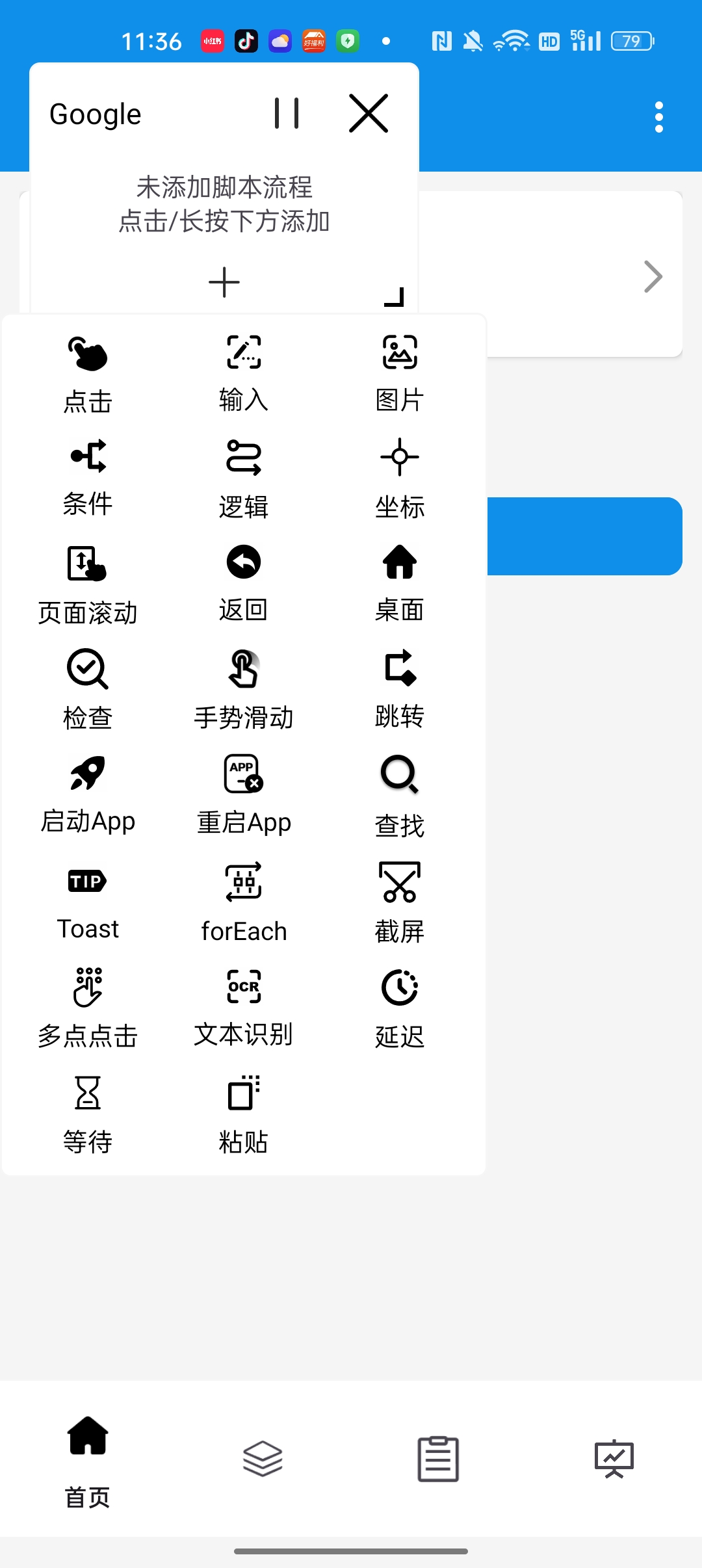
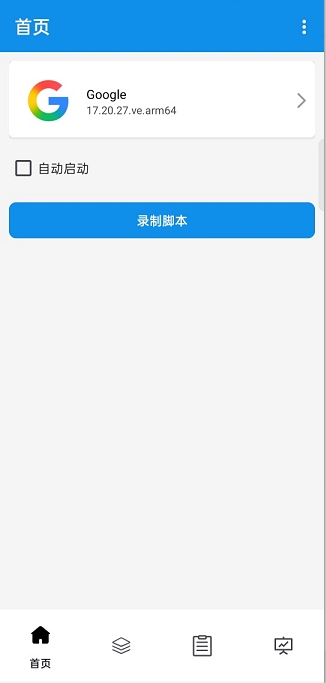
Use floating recording windows on real devices to pick nodes, configure actions, and save scripts, then combine them into tasks with pre-flow, main-flow, and auto-trigger logic.
A single execution flow can combine accessibility XPath, image template matching, and OCR text recognition, while validating element state, toast text, wait results, and search results at the step level.
After task execution, you can review task results, script-step status, running logs, and screenshots; scripts and tasks can be packaged with associated image assets as ZIP files and accessed or converted through local HTTP endpoints.
Testing Scenes
- Record and replay repetitive Android UI flows on real devices, such as login, navigation, form entry, and settings changes.
- Automate screens with unstable resource IDs or hard-to-target UI structures by combining XPath, image template matching, and OCR.
- Run expectation-based smoke or regression checks such as element presence, element state, toast text, wait results, and search results.
- Compose tasks from pre-scripts, main scripts, and auto-trigger scripts, then run them with retry, loop, or schedule settings.
- Handle mobile test flows such as OTP entry by extracting recent SMS verification codes and filling them into input fields when permission is granted.
Environment & Requirements
- Platform
- A native Android app for automating the UI of installed Android apps.
- System Range
- The code is configured for a minimum of Android 6.0 (API 23) and targets Android 15 / API 35.
- Access Path
- It is primarily accessed through the in-app UI, floating recording windows, and Android accessibility service; it also includes a local HTTP service on port 8399 with static pages and `/api` endpoints.
- Package
- script_v1.6.8.apk
Permissions & Dependencies
- Required: Accessibility service, used to read the UI tree, receive events, and perform clicks, swipes, input, and similar actions.
- Required: Overlay permission, used for the recorder window, node picker, and running-status windows.
- Required: MediaProjection screen-capture authorization, used for OCR, image matching, step screenshots, and explicit screen-capture actions.
- Requested during startup: storage-management and notification permissions, used for import/export, associated resource access, and foreground services.
- Optional: an ADB connection, used for shell-based app launch/restart, automatic accessibility setup attempts, and the `minitouch` input path.
- Optional: the app's own input method, used for text entry.
- Optional: SMS read permission, used for verification-code auto-fill input.
- Optional: exact alarms and battery-optimization exclusion, used for scheduled or periodic tasks.
Support Notes
Explicitly Supported
- This is an Android APK project with package name `com.test4399.script` and app name `DiandianTong`.
- The code is configured with `minSdk=23`, `targetSdk=35`, and native libraries for `armeabi-v7a` and `arm64-v8a`.
- Its core execution stack explicitly depends on AccessibilityService, MediaProjection, Room, local file storage, OpenCV, ML Kit OCR, and Paddle OCR.
- It supports two input execution paths: accessibility-driven gestures and a `minitouch` path.
- It supports script recording, script editing, task orchestration, one-time scheduled tasks, and periodic tasks.
- Its action set explicitly includes click, double click, long press, input, scroll, swipe, search, wait, condition checks, validations, OCR, toast checks, foreach traversal, app launch, app restart, and screen capture.
- Its targeting methods explicitly include XPath, coordinates, image templates, and OCR text.
- Task reports explicitly contain task results, script and step status, running logs, and optional screenshots, stored in a local database and local file directories.
- Scripts and tasks support ZIP import, export, and sharing together with associated image assets.
- On startup, the app launches a local HTTP service on port 8399 with implemented endpoints such as `/api/dump`, `/api/script`, `/api/scripts`, `/api/scriptAttachments`, `/api/scriptConvert`, `/api/task`, `/api/tasks`, `/api/taskAttachments`, and `/api/taskConvert`.
- Its failure detection is explicitly step- and task-expectation based in code, and is not the same as a crash, ANR, or performance monitoring platform.
- The code does not clearly show report export to PDF, CSV, Excel, or upload to a remote service.
Reasonable Inference
- It is better suited to local Android real-device UI automation and flow replay than to centralized test management or a cloud device platform, because execution, storage, and reporting all happen on-device.
- The embedded HTTP service appears to function as a local access or integration layer, since the implemented endpoints focus on retrieval, attachments, and conversion rather than remote orchestration.
- Its SMS auto-fill capability is most suitable for mobile login or registration flows, because the implemented input logic specifically extracts verification codes from SMS content.
- Its execution flow runs entirely on the Android device, centered on accessibility, screen capture, Room storage, and local files rather than an external test server.
- Its targeting approach is hybrid, combining accessibility-tree XPath with OpenCV-based image template matching and ML Kit / Paddle OCR text recognition.
- It includes recording, editing, task orchestration, scheduled execution, ZIP import/export, and local API capabilities, making it better suited to maintaining reusable Android automation assets than serving as a general cross-platform testing platform.
Download & Trust
- Version
- v1.6.8
- Package
- APK
- Size
- 74.7 MB
- Updated
- 2026-05-22
- Download
- Sign in Required
This self-developed tool is built for real Android app QA workflows, runs locally, and does not depend on an external testing platform.